Download - JSON Example File (.json)
API Endpoint & JSON functions
|
Endpoint |
| /erpservices/importdossier |
| JSON Element | Type | Spec | Description |
| applicationReferenceId | {string} | {1-255} | Your application reference id. Used to communicate about this specific item. Using unique values within your system is suggested but not required. |
| doNotSaveWhenInvalid | {boolean} | True/false | A boolean indicating whether not save the item when it is invalid for submission. (default = false, so by default invalid data will be saved). When “true,” it is especially recommended to be able to process/display feedback from the link in the ERP package, which is the reason why the data was not saved. |
| doSubmitWhenValid | {boolean} | True/false | A value indicating whether to submit the declaration when it is valid (default = false) |
Stap 1: Aangifte
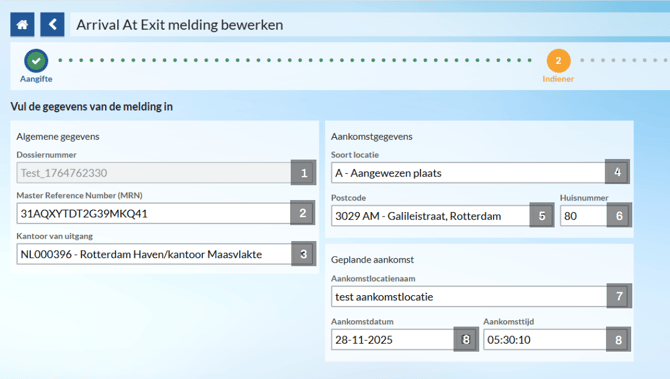
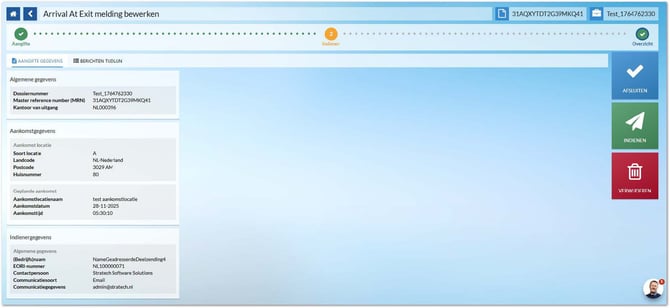
| Nr | Veldnaam in Shipment | TAG | Type | Spec | Opmerking |
| 1 | Dossiernummer | dossierNumber | {string} | {1-30} | Dossiernaam in Shipment (Order number, Delivery number, transport number, etc). |
| 2 | Master Reference Number (MRN) | swArrivalAtExitDeclarations. declarationData. mrn |
{string} | {1-18} | Gets or sets the MRN. |
| 3 | Kantoor van uitgang | swArrivalAtExitDeclarations. declarationData. exitOffice. referenceNumber |
{string} | {0-8} | Gets or sets the reference number (CL194). |
| 4 | Soort locatie | swArrivalAtExitDeclarations. declarationData. goodsLocation. type |
{string} | {0-1} | Gets or sets the type (CL347). |
| 5 | Postcode | swArrivalAtExitDeclarations. declarationData. goodsLocation. postcode |
{string} | {0-17} | Gets or sets the postcode. |
| 6 | Huisnummer | swArrivalAtExitDeclarations. declarationData goodsLocation. streetNumber |
{string} | {0-17} | Gets the house number. |
| 7 | Aankomst Locatienaam | swArrivalAtExitDeclarations. declarationData. warehouseName |
{string} | {0-35} | Gets or sets the name of the warehouse. |
| 8 | Aankomstdatum + Aankomsttijd | swArrivalAtExitDeclarations. declarationData. warehouseArrival |
{date-time} | Example: 2025-11-29T04:04:03+00:00 |
Gets or sets the warehouse arrival. |
Stap 2: Indiener
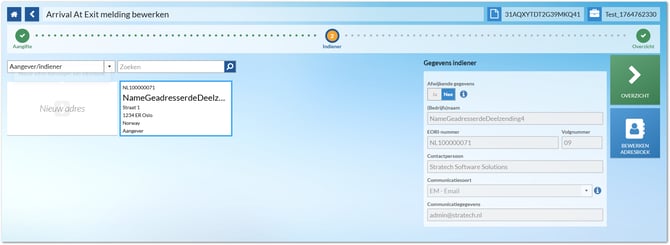
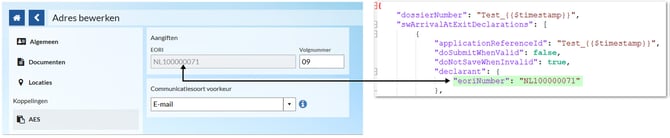
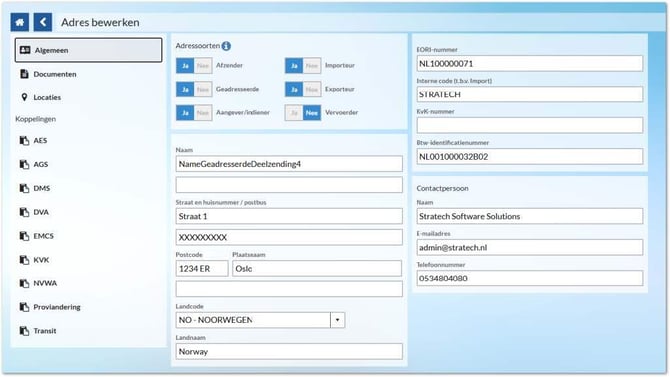
Door het “eoriNumber“ op te geven van een afzender in de JSON, worden
alle gegevens automatisch overgenomen
Stap 3: Overzicht